Want a typing pet that reacts while you write?
Published: November 8, 2026 · Updated: November 22, 2026 · By PawPlusMe
PawPlusMe can move beside a supported webpage text box and peek over its edge while you type in Chrome.
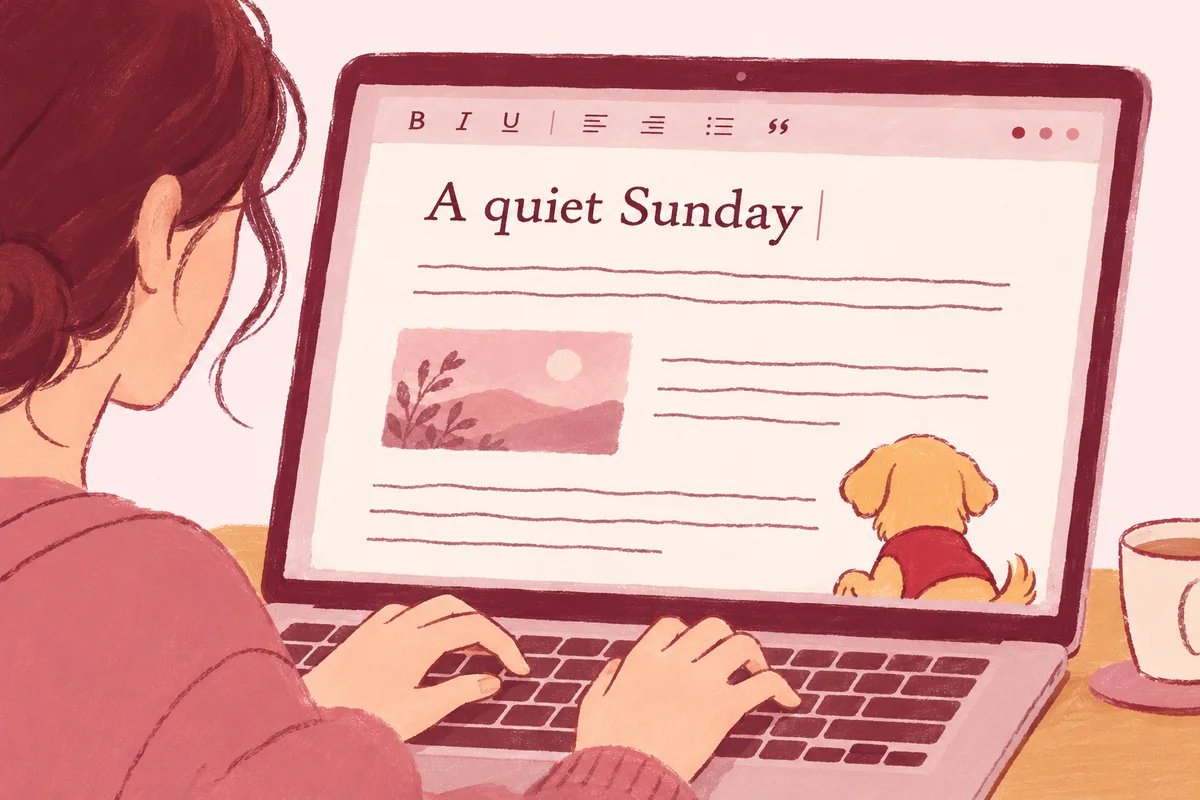
How the typing interaction works
- Focus a supported text box. The extension notices the input event and the box’s visible position.
- Start writing. Your pet can move toward the box and peek at its edge.
- Leave the field. The pet returns to its normal watch behavior instead of staying attached to the editor.
The animation follows the active text box, so the pet feels connected to the moment you start writing while staying out of the way.
Where the typing pet reacts—and where it stays out of the way
In desktop Chrome, PawPlusMe responds to standard webpage inputs, multiline textarea editors and common content-editable writing areas—such as blog drafts, webmail compose boxes, forum replies, documentation forms and note-taking tabs.
Privacy and focus boundaries are built into the interaction:
- Password fields are always excluded: The extension ignores password inputs so nothing reacts near sensitive login fields.
- Typed text is never read or uploaded: Peeking only uses focus/input signals and the element’s on-screen bounding box—it does not inspect what you write or store a keystroke history.
- No chat popups or text clutter: Your pet stays a quiet visual presence at the edge of the box instead of interrupting your train of thought with generated messages.
Pairing the typing pet with 25-minute writing sessions
If you write long posts, essays or emails in Chrome, you can combine input-box peeking with the built-in 25-minute break reminder. Start the timer when you want an uninterrupted drafting sprint: your pet steps away while you write, then comes back after 25 minutes to playfully get your attention so you remember to stretch or look away from the screen. Hold and release the pet to pick another 25-minute sprint, a 50-minute block or no more reminders today.
Can you use this keyboard pet on Mac?
Yes. On a Mac, install PawPlusMe in desktop Chrome and your pet can react beside supported webpage text boxes as you write. The companion lives inside Chrome webpages, bringing the same typing interaction to the tabs you use every day.
| Feature | PawPlusMe |
|---|---|
| Typing reaction | Moves toward the active text box and peeks while you write. |
| Visual style | A realistic, photo-based 2D companion created from your pet. |
| Privacy boundary | Reads only focus events and box geometry; password fields excluded and zero text logged. |
| After you finish | Returns to watching when you leave the field. |
| Where it works | Supported ordinary webpages in desktop Chrome (macOS and Windows). |
| Try it | Use the free typing playground on the PawPlusMe homepage. |
Typing pet questions
Will the typing pet block the words I am typing?
The pet positions itself along the edge of the active text box rather than over the middle of the editor, and steps back to its normal watch behavior once you click out of the field.
Does it work in every web editor?
It works on ordinary webpages with standard HTML text inputs, textareas and supported editable regions. Protected browser pages, cross-origin iframes and custom canvas-based editors that do not expose standard input bounds may not trigger peeking.
Can I test the typing reaction without installing Chrome extensions first?
Yes. Scroll to the typing playground on the homepage and type a sentence to watch the example pet walk over and peek at the box immediately.
Where can you try it?
Use the typing playground on the homepage to see the example pet approach a text box. After installing the extension, the same interaction comes to supported text areas and inputs on the ordinary webpages you visit in Chrome.
Follow the installation steps when you are ready to keep the typing pet nearby.
Using a Mac? The Mac screen-pet guide explains where the companion appears and why it stays inside Chrome rather than floating over every application.